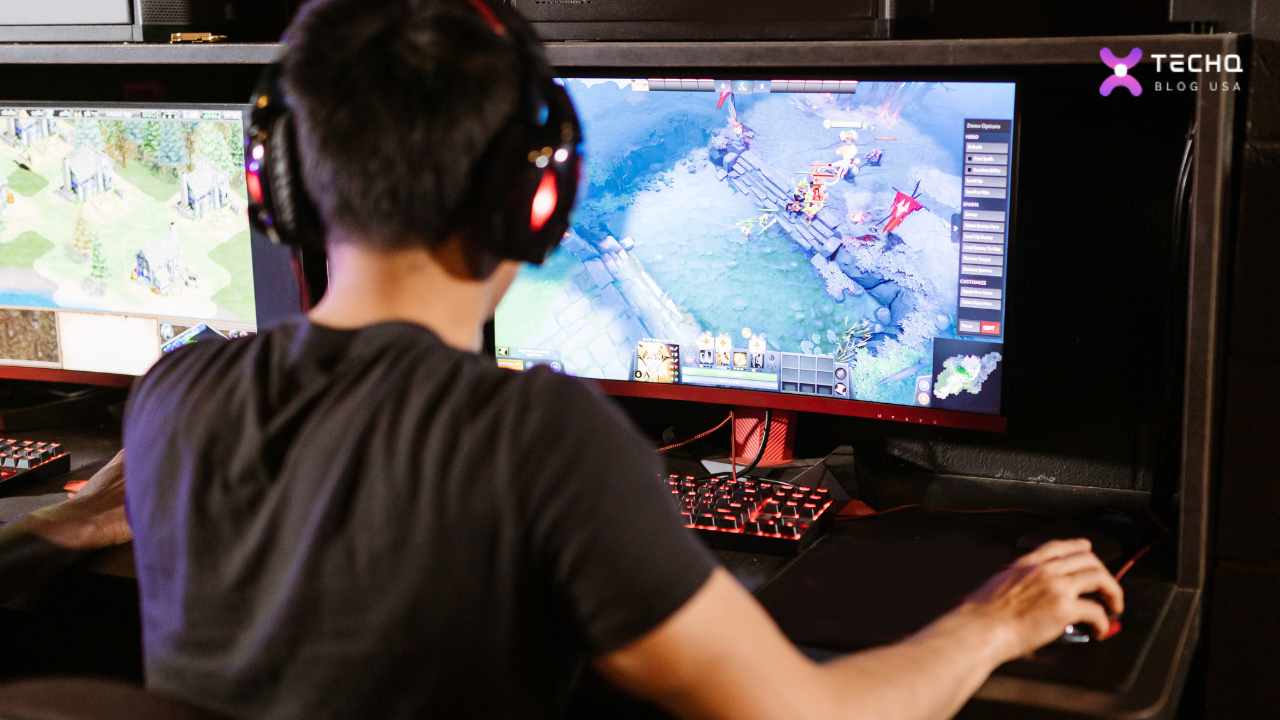
Did you know you could jump into the most stunning, action-packed video games that usually demand monster computers, using just your work laptop or even your phone? It sounds almost too good to be true, right? But this isn’t a far-off dream; it’s Cloud Gaming, and it’s here now, ready to change how busy professionals like you unwind and play.
Cloud gaming is a new trend in the gaming world. It’s changing how we play and access our favorite games. Let’s examine its pros and cons to see if it’s worth the buzz.
Cloud gaming, a revolutionary concept that has taken the gaming world by storm, promises to redefine the way we experience games. By shifting the computational heavy lifting from local devices to remote servers, cloud gaming aims to deliver high-end gaming experiences to a wider audience. But is it truly living up to the hype? Let’s delve into the pros and cons to find out.
Cloud gaming lets you play top games without needing a powerful computer. It uses remote servers to stream games to your device, making gaming more accessible to everyone.
Key Takeaways
- Cloud gaming offers low-cost access to high-end games without powerful hardware.
- Cross-platform compatibility is a significant advantage, allowing users to play on various devices.
- Internet connectivity and latency issues can impact the cloud gaming experience.
- Subscription-based models are becoming the norm for cloud gaming services.
- Optimizing your setup is crucial for a seamless cloud gaming experience.
Forget spending thousands on graphics cards, worrying about storage space, or sitting through hours of downloads. Cloud gaming throws all that out the window. Think of this as your personal, super-easy guide to understanding this amazing technology. We’ll walk you through exactly what it is, what you’ll need, how it affects your internet, and answer all those burning questions. Get ready to unlock top-tier gaming without the top-tier cost or hassle. Let’s explore!
What is Cloud Gaming?
So, what magic is called Cloud Gaming? Imagine your favorite movie streaming service, like Netflix. You don’t own a giant movie studio or keep thousands of DVDs at home, right? You click play, and the movie appears on your screen. Cloud gaming works in a very similar way, but for video games.
Instead of your computer or console being super powerful to run a game, a potent computer somewhere else does all the hard work. These special computers, called servers, live in huge buildings called data centers. When you want to play:
- You Pick a Game: You choose a game from your cloud gaming service on whatever device you’re using – your laptop, tablet, or phone.
- A Super Computer Wakes Up: Instantly, one of those powerful servers in the data center starts running the game just for you.
- You Play: As you press buttons on your controller or click your mouse, those instructions zip across the internet to the server.
- The Game Comes Back: The server sees what you did, makes it happen in the game, and then sends the video and sound of the game right back to your screen – all in a split second!
It feels like the game is running right on your device, but it’s happening miles away. Your device must be good enough to show a video and send your commands. It means you can play games that look amazing, the kind that used to need a $2000 PC, on something much simpler. It’s like having a world-class gaming PC, but you just rent it when needed, and it lives “in the cloud.”
This is amazing for professionals who want to jump into a game after work but don’t want the clutter, cost, or commitment of owning a dedicated gaming machine. It’s gaming made simple and accessible.
What is Needed for Cloud Gaming?
You might think something this futuristic needs a lot of special equipment, but you’d be surprised! The list of must-haves for Cloud Gaming is refreshingly short and simple. You can forget about checking complex system requirements. Here’s the breakdown:
1. A Good Internet Connection: This is the big one. It’s the most critical piece of the puzzle. Your internet is the bridge between you and that powerful server. It needs to be:
- Fast: You need enough speed to handle the video stream coming to you and send your commands quickly. Most services say you need at least 15-25 Megabits per second (Mbps) for a good experience (like 1080p), and more (35+ Mbps) if you want super high quality like 4K.
- Steady: A connection that cuts out or slows down frequently will make your game stutter or pause. Imagine driving on a road full of potholes, it’s not fun! A wired connection (using an Ethernet cable) is often recommended over Wi-Fi.
- Quick (Low Latency): Latency, or “ping,” is how long it takes for your button press to reach the server and the result to return. The lower this time (measured in milliseconds, or ms), the better. You want it as low as possible so the game feels instant and responsive. Under 40ms is good; under 20ms is great!
2. A Screen to Play On: This is where Cloud Gaming shines because you have so many choices, and none need to be powerful:
- Laptops & Desktops: Your regular work computer, whether it’s Windows, a Mac, or even a simple Chromebook, can likely handle cloud gaming.
- Phones & Tablets: Android and Apple devices can run cloud gaming apps, turning your pocket device into a gaming console.
- Smart TVs & Streaming Boxes: Many new TVs and devices, such as Google TV or Amazon Fire TV Stick, have apps for cloud gaming.
- Dedicated Handhelds: Some devices are even built specifically for cloud gaming. If they can connect to the internet and play a YouTube video smoothly, they can probably handle cloud gaming.
3. A Way to Play (Subscription & Controller):
- The Service: You must sign up for a cloud gaming service. Some popular ones are NVIDIA GeForce Now, Xbox Cloud Gaming (part of Game Pass Ultimate), and Amazon Luna. Each has different prices and ways of working. Some let you play games you own; others give you a big library.
- A Controller (Usually): While some games work with a mouse and keyboard or even touch controls on a phone, most people find that a standard game controller (like an Xbox, PlayStation, or similar Bluetooth controller) gives the best experience.
And that’s it! With good internet, a screen, and a service, you’re ready to play.
How Many GB Does Cloud Gaming Use Per Hour?
This is a fundamental question, especially if your internet plan has a limit on how much data you can use each month (a “data cap”). Because Cloud Gaming streams high-quality video, it can use up a fair bit of data, like binge-watching your favorite show in 4K.
How much data you’ll use isn’t a straightforward number; it changes based on a few things:
- How Good it Looks (Resolution): Playing in super-sharp 4K uses more data than playing in standard 1080p or lower 720p. More detail means more information needs to be sent.
- How Smooth it Runs (Frame Rate): Playing at 60 frames per second (60 FPS) looks much smoother than 30 FPS, but it also doubles the amount of information, using more data.
- Which Service You Use: Different companies use different technologies to send the video, so some might be more efficient with data than others.
- The Game Itself: While resolution and frame rate are the main factors, sometimes a very busy, fast-moving game might use slightly more data than a slower one.
So, let’s look at some ballpark numbers:
- For 720p at 60 FPS (Good for phones or slower connections), you might use 7 GB to 10 GB for every hour you play.
- For 1080p at 60 FPS (the most common, like standard HD), expect to use between 10 GB and 25 GB per hour. This is a wide range because some services offer higher-quality 1080p streams.
- For 4K at 60 FPS (Ultra HD, the best-looking), it really adds up. You could easily use 25 GB to 35 GB or even more every hour.
“Think of it like water through a pipe,” says tech writer Sarah Chen. “A small stream is 720p, a steady flow is 1080p, and a fire hose is 4K. You need a big pipe (internet speed) and enough water (data cap) if you want the fire hose.” If you have a data cap, monitor your usage, or try playing at a slightly lower resolution to save data.
How Do I Get the Most Out of Cloud Gaming?
You’re all set up, but you want that perfect experience, smooth, precise, and instant. How do you ensure your Cloud Gaming session feels as good as playing on a local console? It’s like tuning an instrument; minor adjustments can make a difference. Here are the top tips:
- Plug In! Use an Ethernet Cable: This is the golden rule. Wi-Fi is good but can be affected by walls, other devices, and even your neighbor’s microwave. A physical cable plugged directly from your device into your internet router gives you the most stable, fastest, and most reliable connection. If you can do only one thing, do this!
- Tame Your Wi-Fi (If You Can’t Plug In):
- Use 5GHz: Most modern routers have two Wi-Fi signals: 2.4GHz and 5GHz. The 5GHz one is usually faster and less crowded, making it much better for gaming. Make sure you’re connected to it.
- Stay Close: The closer your device is to your router, the stronger the signal. If possible, try to play in the same room.
- Clear the Air: Fewer walls and big objects between you and the router mean a better signal.
- Be a Bandwidth Boss: When you’re cloud gaming, tell everyone else in the house to pause their big downloads or 4K movie streams! Also, close any programs on your device that might be using the internet in the background (like updates, cloud syncing, or other streams). You want your game to have first dibs on the internet highway.
- Check Your Router: Some internet routers have special settings called “Quality of Service” (quality of service) or a “Game Mode.” These can tell your router to prioritize your gaming traffic, which can help reduce lag. Check your router’s manual or website to see if yours has this.
- Pick the Closest Server: Some cloud gaming services show you which data center you’re connecting to or let you choose. Picking a server location that’s geographically closer to you can often lower your ping (latency), making the game feel much quicker.
- Tweak the Settings: If things still feel choppy, don’t hesitate to go into the cloud gaming app’s settings and lower the streaming quality. Playing at a smooth 1080p is often much better than a stuttering 4K. Find the balance that works best for your connection.
- Use Your TV’s Game Mode: Check its picture settings if you’re playing on a TV. Most TVs have a “Game Mode” that turns off extra video processing to reduce input lag—the time between you pressing a button and seeing it happen on screen.
Following these steps can turn a good cloud gaming experience into a great one.
Do I Need a Powerful PC for Cloud Gaming?
Let’s shout it from the rooftops: NO! You absolutely, positively do NOT need a powerful PC for Cloud Gaming! This is, without a doubt, one of its biggest and best features.
Think back to how it works. The game isn’t running on your computer. It’s running on a super-charged server far away. Your PC, laptop, or phone acts like a TV screen and a remote control. It shows you the video from the server and sends your button presses back to it.
This means that all those expensive parts that make a traditional gaming PC cost so much—the super-fast graphics card (GPU), the high-end processor (CPU), and tons of memory (RAM)—are simply not needed on your end. The server has all that power; you don’t need to duplicate it.
It’s like wanting to travel in a luxury sports car. With traditional gaming, you have to buy a sports car. With Cloud Gaming, you have a chauffeur who brings the sports car to you whenever you want it, and you sit back and enjoy the ride through your simple, everyday car (or even a bicycle!).
This is fantastic news for professionals. In your downtime, you can use the same sleek, portable laptop you use for work meetings to play the latest, most demanding games. There is no need for a second, bulky, expensive machine. It saves money, saves space, and makes high-end gaming incredibly convenient.
Is 4GB RAM Enough for Cloud Gaming?
Following the last question, you might wonder about specific parts, like RAM (Random Access Memory). RAM is like your computer’s short-term memory – it helps it juggle tasks. So, is the 4GB of RAM found in many budget laptops or older machines enough for Cloud Gaming?
For the most part, yes, 4GB can be enough! Because your computer isn’t running the actual game (the server is!), its RAM needs are much lower. Your computer primarily needs RAM to:
- Run its operating system (like Windows, macOS, or ChromeOS).
- Run the cloud gaming app or your web browser.
- Handle the incoming video stream.
4GB of RAM can usually manage these tasks. However, there’s a small “but.” If you try to do many other things simultaneously – like having 20 browser tabs open, running a chat program, and listening to music – 4GB might start to struggle a bit, and your experience could slow down.
Having 8GB of RAM is generally recommended for a smoother overall computer experience, giving you more breathing room. But if your device only has 4GB, don’t despair! Just try to close other programs before you start your Cloud Gaming session, and you’ll likely find it works just fine.
The main point remains: Cloud gaming dramatically lowers the bar. You don’t need 16GB or 32GB of RAM, which many high-end PC gamers use. Your internet connection is far more critical than your RAM amount.
How Long Will 100GB Last for Gaming?
Many internet plans, especially mobile or satellite plans, come with a monthly data limit. A 100 Gigabyte (GB) limit might sound like a lot, but how far does it get you when you’re Cloud Gaming? Let’s do some quick math based on the data usage numbers we looked at earlier.
Remember, these are just estimates:
-
If you play at 720p (using about 8 GB per hour):
- 100 GB / 8 GB/hour = About 12.5 hours of gaming.
- Depending on how long you play, that’s maybe 3-4 gaming sessions a week.
-
If you play at 1080p (using about 15 GB per hour):
- 100 GB / 15 GB/hour = About 6.6 hours of gaming.
- That’s less than an hour a day for a month. It goes quickly!
-
If you play at 4K (using about 30 GB per hour):
- 100 GB / 30 GB/hour = Only about 3.3 hours of gaming.
- Maybe one or two long gaming sessions, and your data is gone!
What does this tell us? It shows that while cloud gaming is fantastic, it can be very data-hungry, especially at high quality. If you only have 100GB of data per month, you’ll need to:
- Play mostly at lower resolutions (720p or maybe 1080p with a data-saver mode).
- Keep your gaming sessions relatively short.
- Monitor your data usage very carefully.
For people who want to play a lot, especially at the best quality, an internet plan without a data cap (unlimited data) is almost necessary for a worry-free Cloud Gaming experience.
How Many GB Per Hour is GeForce Now?
Let’s look at a real-world example: NVIDIA GeForce Now. It’s a popular Cloud Gaming service, and they give pretty clear information about how much data their different settings use. This helps you understand the choices you can make:
NVIDIA offers different streaming modes, letting you pick between saving data or getting the best picture:
Source: NVIDIA (These are estimates and can change)
This table clearly shows the trade-offs. Want the smoothest, fastest experience for a competitive shooter? The “Competitive” mode is great, but it uses more data than “Balanced.” Want to play on your phone on a limited plan? “Data Saver” is your friend. Want the most eye-popping visuals on your big 4K TV? Be prepared for the “Ultimate” mode to drink up your data!
These options let you tailor your Cloud Gaming experience to fit your internet connection and data plan.
Cloud Gaming at a Glance: A Quick Comparison
It helps to see how different services stack up. Here’s a look at some of the leading players in the Cloud Gaming space:
Remember: Services change often! Check their websites for the latest info.
Conclusion: Step into the Stream
We’ve journeyed through the exciting world of Cloud Gaming. We’ve seen that it’s not some distant dream but a real, accessible way to play the best games without needing the best hardware. It’s like having a supercomputer on call, ready whenever you want to play.
For professionals, it offers the perfect blend of high-end entertainment and low-commitment convenience. You can use your own devices, save money, and avoid the technical headaches of traditional PC gaming. All you truly need is that solid internet connection, the bridge to countless virtual worlds.
We’ve covered the what, the how, the needs, and the nitty-gritty details like data usage. We’ve shown you how to fine-tune your setup and confirmed that, yes, even your modest laptop or 4GB RAM machine can be a gateway to incredible gaming experiences.
The world of gaming is changing. It’s becoming less about the box under your TV and more about the connection coming into your home. It’s becoming more like music and movies – available anywhere, anytime, on any screen.
The question is no longer if cloud gaming is the future, but how you’ll make it part of your present. Which world will you explore first?
You May Like To Read:
- The Rise of AI: Transforming Every Industry
- Metaverse Mania: The Future of Virtual Reality
- Cloud Computing Technology: Revolutionizing Modern Business
- DevOps vs Agile: Optimize Your Workflow
- Top 10 AI Tools to Skyrocket Your Creativity
- DIY Smart Home Setup: Automate Your World
- AI vs Human: Who Will Be the Boss of Jobs in the Future?
- The Future of Transportation: Innovative Revolution